SSH Tunnels: Port Forwarding
- ssh
Small world. Big idea!
Port forwarding
Forwards a port from one system (local or remote) to another
Local port forwarding
Local port forwarding allows you to forward traffic on the SSH client to some destination through an SSH server. This lets you access remote services over an encrypted connection as if they were local services. Example use cases:
- Accessing a remote service (redis, memcached, etc.) listening on internal IPs
- Locally accessing resources available on a private network
- Accessing a container's port from your laptop without publishing it on the server's public interface.
ssh -L [local_addr:]local_port:remote_addr:remote_port [user@]sshd_addrThe -L flag indicates we're starting a local port forwarding. What it actually means is:
- Any traffic to this port will be forwarded to the
remote_private_addr:remote_porton the machine you SSH-ed to.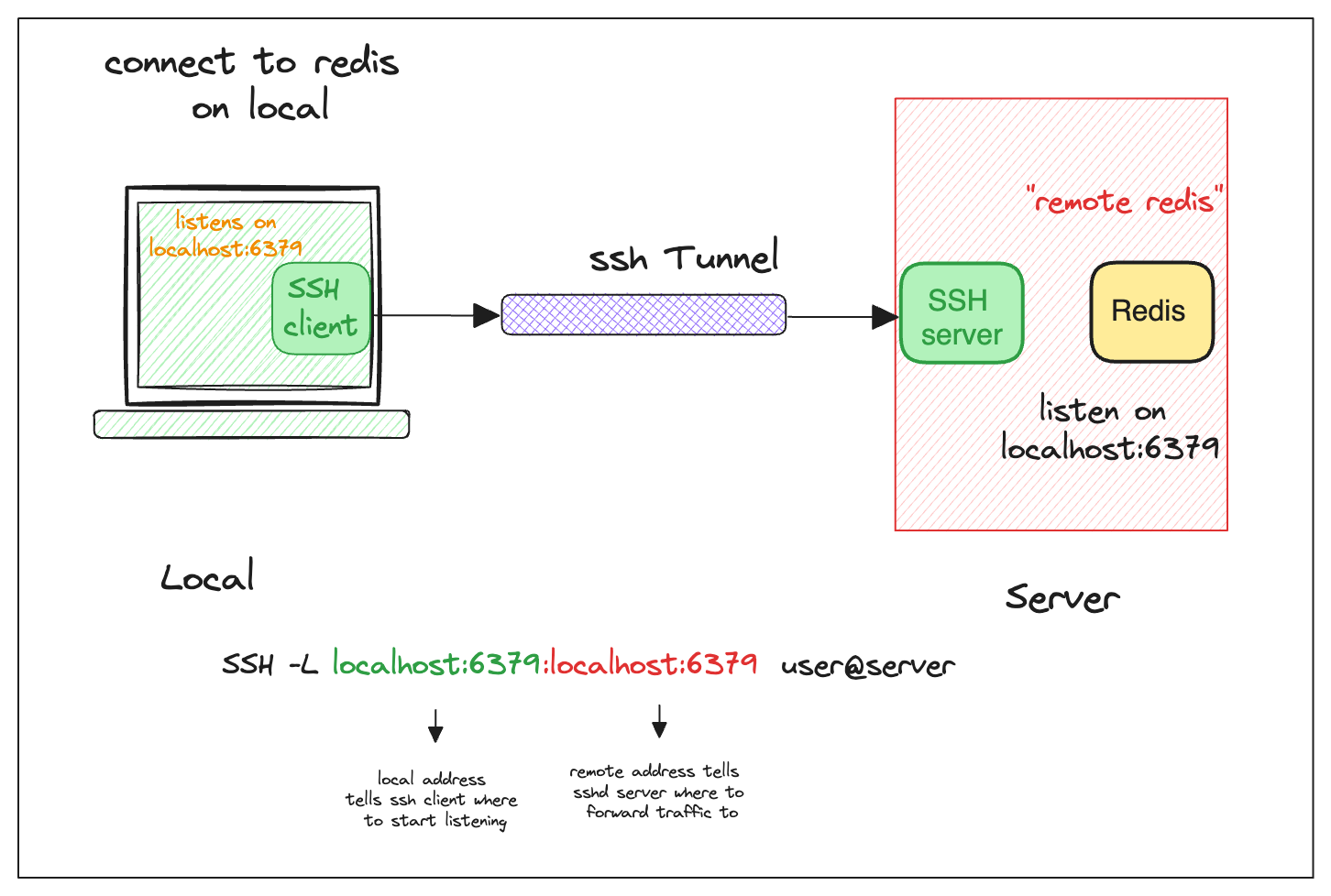
Tip: Use ssh -f -N -L to run the port-forwarding session in the background.
Local Port Forwarding with a Bastion Host
We will encounter this situation the most when we use the Cloud. For example, with AWS, we will usually create Amazon Relational Database Service (RDS) in a private network. Of course, because the network is closed, we will not be able to connect to it. RDS from outside, the common way people use is to create a Bastion Host, and we will connect to RDS through this bastion host.
The ssh -L command allows forwarding a local port to a remote port on any machine, not only on the SSH server itself. Notice how the remote_addr and sshd_addr may or may not have the same value:
ssh -L [local_addr:]local_port:remote_addr:remote_port [user@]sshd_addrI visualize this scenario for myself:
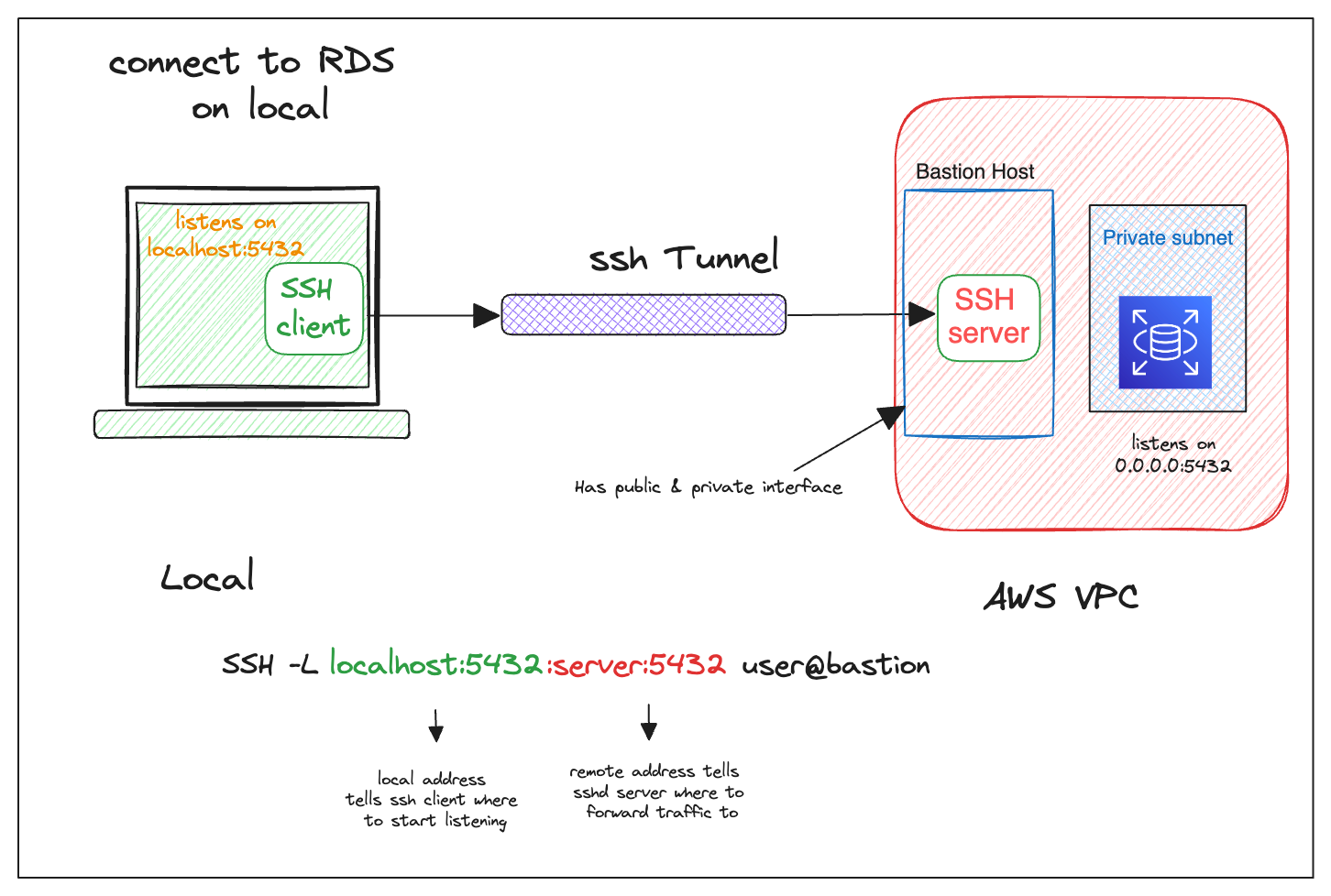
I often use the above trick to call endpoints that are accessible from the bastion host but not from my laptop.
Remote Port Forwarding
(do late 😳)
SSH command-line flags
These are some useful SSH command-line flags when establishing tunnels
-f # forks the ssh process into the background
-n # prevents reading from STDIN
-N # do not run remote commands. Used when only forwarding ports
-T # disables TTY allocation
More use cases
If you'd like to make the backdoor even more convenient, you can add some directives to your local ~/.ssh/config
Host private
  HostName localhost
  User private-user
  ForwardAgent yes
  ProxyCommand ssh user@bastion-host nc %h %p